
Ask the question.
Get the page it's on.
Nuclearn Search is an AI agent for your plant's documents and public NRC and DOE sources. It runs several searches, reads the documents themselves and answers with citations to the page: which procedures cite a valve, what the NRC has published on an issue, where a requirement comes from.
- Single-tenant, hosted by Nuclearn
- Signs in through your Nuclearn platform
- Searches only what each person may read
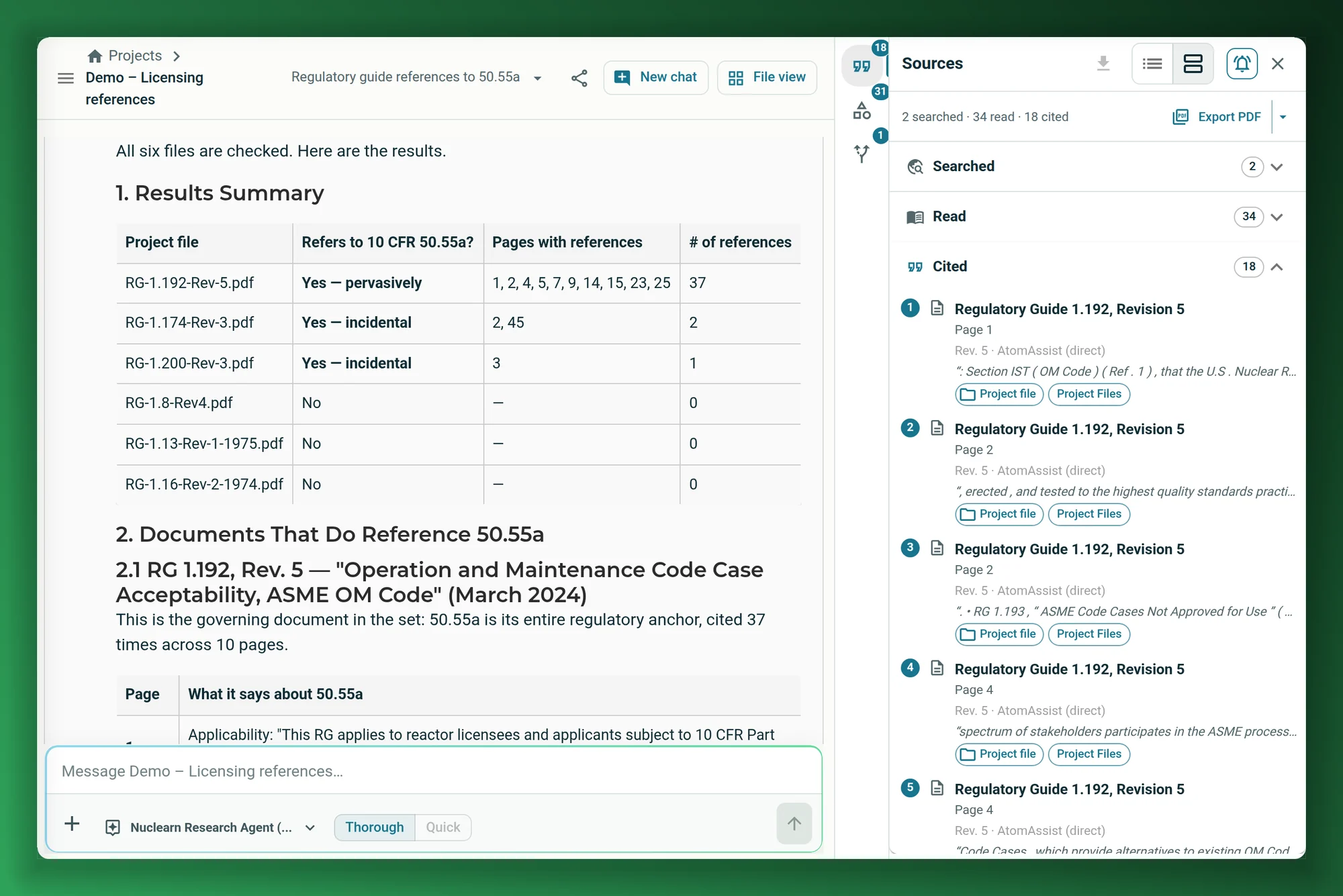
Screenshots on this page show publicly available NRC and DOE documents, as they appear in the Nuclearn platform today.
- Backed by NuclearnAI software built for nuclear plants since 2021
- Over 70 facilitiesNuclearn products serve sites in North America and the U.K.
- ISO/IEC 27001:2022Certified information security management
For the questions that take an afternoon of opening documents.
The answer is usually in a procedure, a vendor manual, a regulatory guide or an NRC letter. Nuclearn Search finds it, reads it and shows you the page, so you check one passage instead of opening twenty files.
"Which procedures cite this valve?"
Ask which documents mention a valve tag, a regulation or a part number. It checks each document in the project or collection, not just the top search results, and lists where each one does it, page by page.
See it check each document → Licensing and regulatory affairs"What has the NRC said about this?"
Search the full text of public documents in NRC ADAMS, look one up by accession number, and bring the ones you need into your own library.
See NRC and DOE sources → Operations and engineering"Where does this requirement come from?"
Get the answer with the passage it came from, cited to the page and revision. Open the page beside the chat and read it for yourself.
See citations → Engineering"What has DOE research found?"
Search DOE technical reports on OSTI.GOV and DOE PAGES publications next to the NRC's documents and your own.
See NRC and DOE sources → Everyone"Search only this job's documents"
Ask from a project folder for an outage, a modification or a licensing action, and the search covers that folder's documents.
See project scope → IT and security"Only what I'm allowed to read"
Searches, the documents the agent reads and the passages it cites are limited to what the person asking may read in Nuclearn.
See access control →A search box gives you a list. Someone still has to read it.
Plant questions rarely have a one-document answer. Engineers, planners and licensing staff search the document management systems your plant already uses, then open each result, read it and note the page. Questions like "which of these cite it?" mean opening each candidate by hand.
INL's work-management study puts it plainly: technical documentation "may be in various repositories and formats at the power plant".1
Nuclearn Search does the reading, and shows its work.
INL's estimate of what it costs today to search out and compile the technical information a work package needs, from work packages, engineering changes, drawings and vendor manuals.
INL's estimate for finding relevant condition reports and operating experience and bringing them into each work package.
INL's figures are its estimates of what these planning steps cost now, at $200/hr for online work, not savings from Nuclearn. Its step times are expert estimates and vary by plant. Sources at the foot of the page.
An agent that searches the way an engineer would
Not one query and a list of hits. The agent plans the search, tries it several ways, reads what it finds and only then answers.
Ask in plain words
Ask from a project folder, a collection or everything you can read. Choose Thorough for full research or Quick for a fast answer.
The agent searches and reads
It looks up documents you name by title, runs several searches from different angles, matches exact words such as tags and part numbers, and reads the documents it finds. Agents set up for it also search NRC and DOE sources.
Check the answer
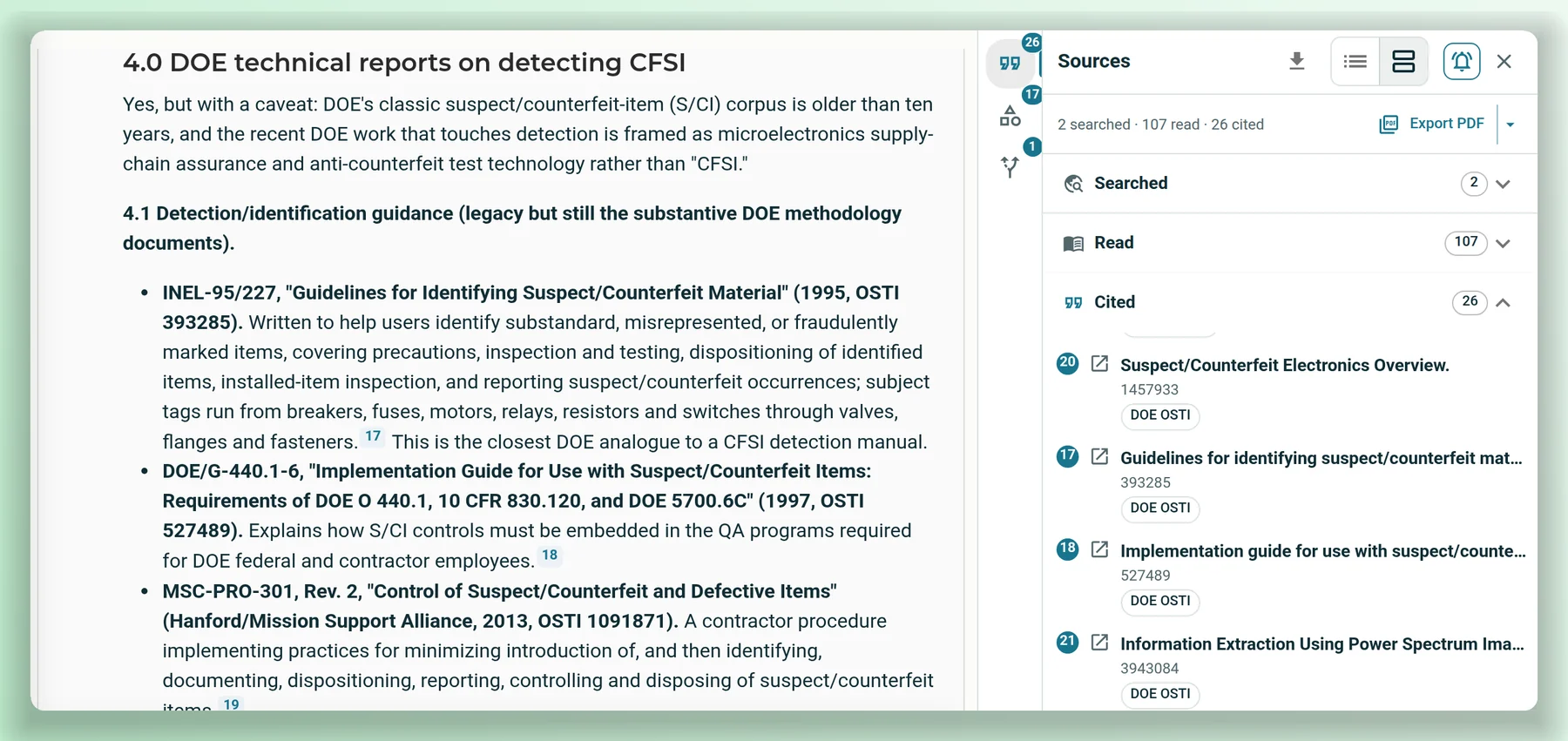
Answers carry numbered citations to the page. The Sources panel lists what was searched, read and cited, and a citation opens the page beside the chat.
Ask which documents, and it checks each one.
"Which procedures cite this valve?" is the question a search box handles worst: it returns the best matches, not a check of each document. Nuclearn Search goes through the documents in the project or collection, finds each mention, reads around it and reports per document and per page, including the ones with no mention.
- Exact matches for tags, part numbers and regulation citations, as well as matches by meaning.
- A yes or no for each document, with the pages and what each page says.
- For large sets, a background extraction across the chosen documents, which you approve before it runs.
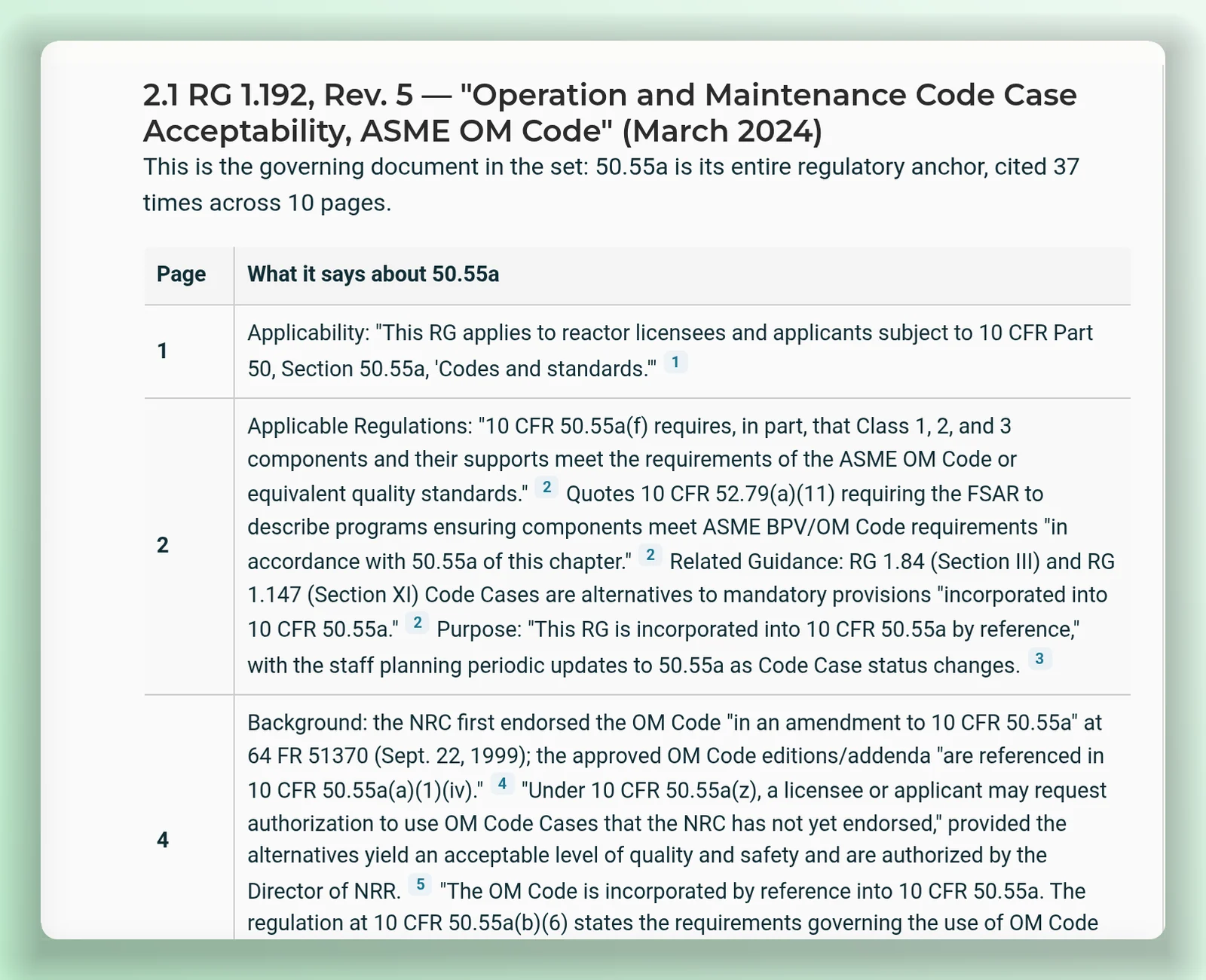
Check any statement against the page in one click.
Answers carry numbered citations. Click one and the source opens beside the chat at that page, with the cited passage and the passages the agent read outlined. The Sources panel lists everything searched, read and cited, with the document, page and revision for each.
- Answers come from current revisions; superseded ones stay out unless a project pins one.
- Copy the citation, open the full viewer or download the document.
- Export the trail as a PDF source report or a JSON audit trail, for one answer or the whole conversation, or save the report to a project folder.
The answer points you to the page. Read the passage before you rely on it.
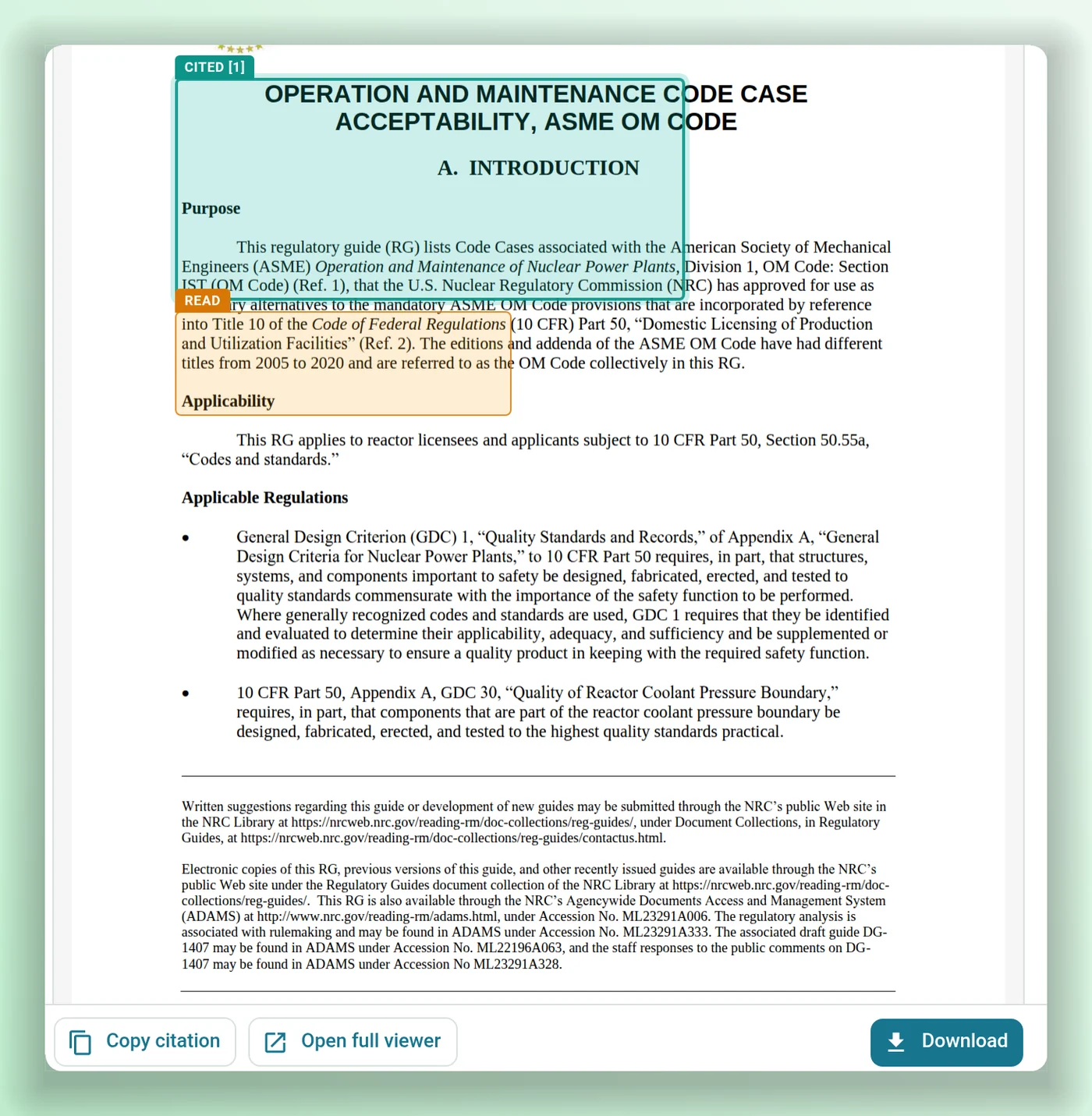
Ask from a project, and the search starts there.
Gather the documents for an outage, a modification or a licensing action in a project folder, then ask from there. The agent searches that folder and the documents referenced into it, including files uploaded straight to the project.
- The project scope comes from the folder you ask from, not from the agent.
- Share a project with people or groups; each still sees only what they may read.
- Chat with one document from its page, or with the whole folder.
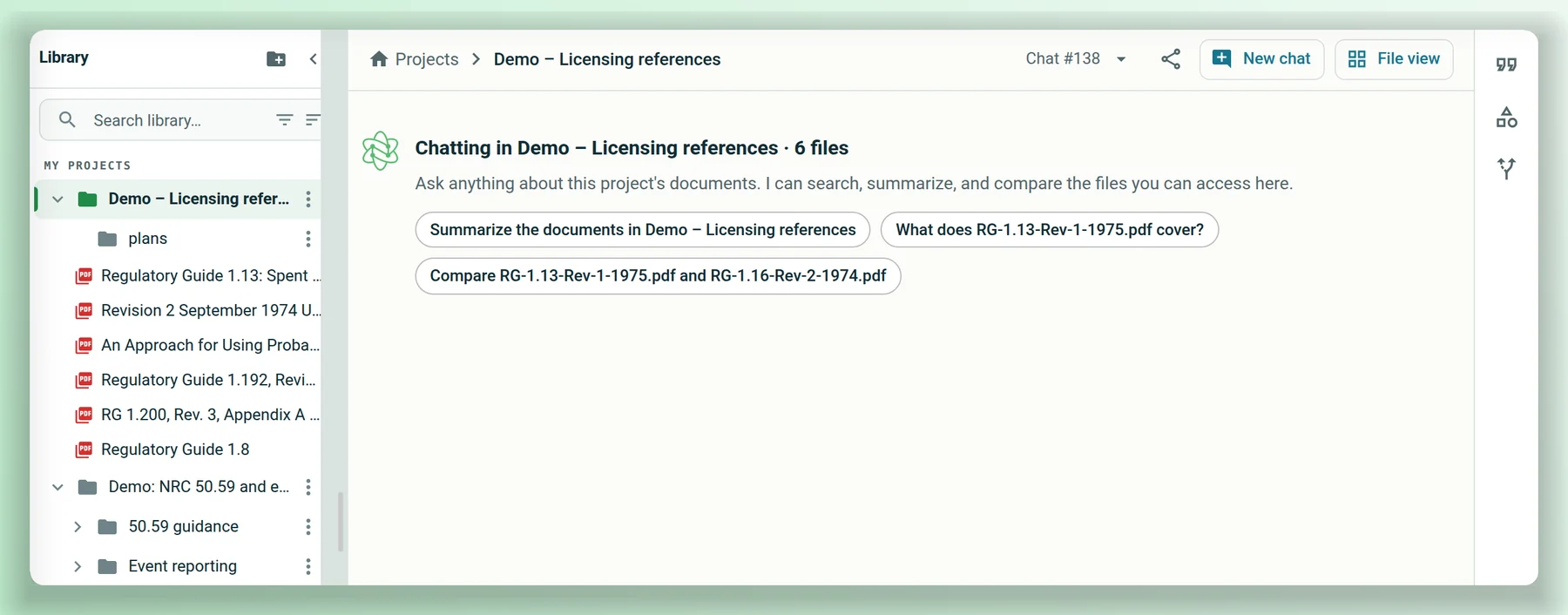
Your documents, the NRC's and DOE's, in one answer.
Agents set up with the NRC and DOE sources search them alongside your library and cite them the same way. A result that matters can be brought into your library, where it's searched and cited like any other document.
ADAMS Document SearchADAMS Content SearchSearch DOE Technical ReportsADAMS Content SearchSearch DOE Technical ReportsSearch DOE PublicationsThe search steps from a real conversation over public NRC and DOE documents, shortened.
Each agent has the sources it may use set in its configuration. When it searches the NRC or DOE, it sends the search terms to their public search services. Searching the open web is a separate tool, off until an administrator turns it on, and each web search shows its query for approval.
Made for how plants actually name and keep things
By meaning and by exact words
Plain-language questions find passages that put it another way, while a tag, a part number or a citation like 50.55a(f) is matched word for word. Results are ranked again before the agent reads them.
Named documents first
Ask about "NUREG-1022" and the agent finds that document by title before it searches its content.
Current revisions
Superseded revisions stay out of answers unless a project pins one.
Scans, too
Scanned pages are read with OCR in the Document Library, then searched and cited like any other page.
Thorough or Quick
Thorough runs the full research: a search sub-agent, wide searches, detailed answers. Quick keeps it short and fast.
Search from your own tools
The same search is available over a REST API, signed with each person's Nuclearn API key, so results follow that person's access.
It reads what you may read, and nothing else.
Access is checked when the agent searches, when it reads a document and when it pulls a passage to cite.
Single-tenant, hosted by Nuclearn
Each plant gets its own instance, hosted by Nuclearn in our own datacenter on our own hardware. Azure Government or your own servers on request.
Built for 10 CFR Part 810
How Nuclearn Search is hosted, operated and supported is set up for 10 CFR Part 810 export controls.
Search follows access
The agent searches, reads and cites only collections and project folders the person asking may read. If they can read nothing in scope, the search comes back empty.
The agent works as you
The search sub-agent runs as the person who asked, with their access, not as a service account with broader reach.
Scope set by the server
A project chat's scope comes from the folder and the person's grants, not from the agent. Anything wider it searches is still limited to what the person may read.
Sources set per agent
Which tools and outside sources an agent may use is set in its configuration. Open-web search stays off until an administrator turns it on.
Search terms out, nothing else
When an agent searches the NRC or DOE, it sends the search terms and filters to their public search services. Documents it brings back land in your library under your access rules.
A certified company
Nuclearn is ISO/IEC 27001:2022 certified. Sign-in goes through the Nuclearn platform and its single sign-on.
One sign-in, the same documents, the same permissions.
Nuclearn Search is included with AtomAssist: if your plant has AtomAssist, it has Nuclearn Search. It runs on the Nuclearn platform beside the Document Library, and the documents it searches are the ones in your library, with the access you've already set.
Nuclearn Search
Finding and answering across your documents and public NRC and DOE sources, cited to the page. Included with AtomAssist.
Nuclearn Document Library
Brings documents in from the document management systems your plant already uses, reads scans with OCR and keeps revision history.
Nuclearn Connect
Syncs the document management systems your plant already uses into the library, from inside your network.
AtomAssist
Nuclearn's assistant for drafting, workflows and agents of your own. Nuclearn Search comes with it.
What it is not
Nuclearn Search finds, reads and cites; people decide. It isn't a document control system, and an answer isn't a licensing position or an operability call. Your document systems stay the system of record, and the cited page is what you rely on.
Questions plants ask first
How is this different from a search box?
A search box runs one query and returns a ranked list. Nuclearn Search is an agent: it finds documents you name by title, runs several searches from different angles, reads the documents and passages it finds, and checks each document when you ask "which of these…". Then it answers with citations to the pages it used.
Which documents does it search?
The collections and project folders in your Nuclearn library that you may read. Documents come in through the Document Library, by upload or synced by Nuclearn Connect from systems such as SharePoint, file shares, CMIS repositories, Maximo, Aras Innovator, OpenText Documentum and IBM FileNet. Agents set up for it also search NRC ADAMS, NRC news and event reports, and DOE's OSTI.GOV and DOE PAGES.
How do we get Nuclearn Search?
It's included with AtomAssist. If your plant has AtomAssist, it already has Nuclearn Search, with the same sign-in, library and permissions. An administrator chooses which agents also search the NRC and DOE sources.
Can it find all the documents that mention something?
Ask "which documents in this project mention…" and it checks each document in the project or collection for the words, reads the matches and reports per document and page, including those with no mention. For large sets it can run a background extraction across the chosen documents, which you approve first. Check the cited pages before you rely on the list.
Does it read scanned documents?
Yes. The Document Library reads scanned pages with OCR, and from then on they are searched and cited like any other page. A citation opens the scan itself.
Will it answer from an old revision?
Not unless you ask it to. Superseded revisions are left out of search results unless a project pins that revision, and each citation names the revision it came from.
What leaves our instance when it searches the NRC or DOE?
The search terms and filters, sent to the NRC's and DOE's public search services. Only agents set up with those sources use them. Searching the open web is a separate tool that stays off until an administrator turns it on, and each web search shows its query for approval.
Can answers be checked, and is there a record?
Each answer lists what it searched, read and cited, and a citation opens the source at the cited page with the passage outlined. Read the passage before you rely on the answer. For a record, export a PDF source report or a JSON audit trail for one answer or the whole conversation, or save the report to a project folder.
Thorough or Quick: which should I use?
Thorough is the default and does the full research, including a search sub-agent and wider searches. Quick returns fewer results and skips the sub-agent, for a fast answer to a simple question. You choose when you start a conversation.
Bring a question you'd normally spend an afternoon on.
We'll show Nuclearn Search answering from public NRC documents: checking each document in a project, citing the page, and searching NRC ADAMS and DOE reports. We'll also answer your IT team's questions about hosting, sign-in and access.
- A live walkthrough on publicly available NRC and DOE documents
- How your documents get into the library
- Your questions on hosting, sign-in and access
Nuclearn Search is backed by Nuclearn, whose products serve over 70 facilities in North America and the U.K.
Book a demo
Tell us a little about your site and we'll set up a time.
Thanks, we've got it.
We'll be in touch to set up a time. If it's urgent, email contact@nuclearn.ai.
Prefer email? contact@nuclearn.ai